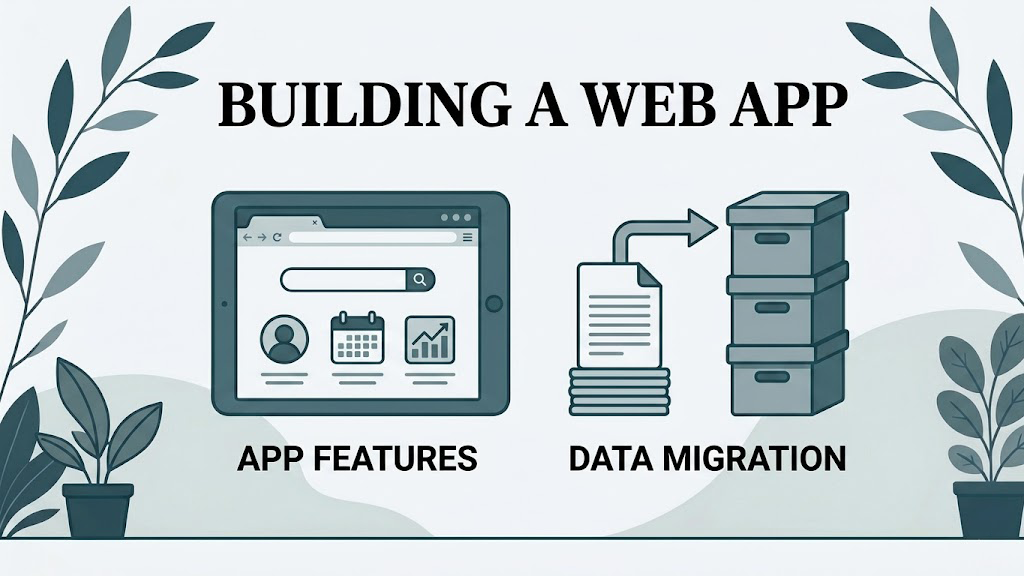
The phrase “turn this spreadsheet into an app” sounds specific, but it leaves most of the important questions unanswered. Does the app need to replace one workbook or the whole process around it? Who enters data, who approves it, and who should only see a report? How much history needs moving?
A useful project defines those answers before development starts. The aim is not to reproduce every tab in a browser. It is to build a dependable way of doing the work that the spreadsheet currently supports.
It starts with the process, not the screen
The workbook is an important source of evidence. Its sheets, formulas, macros and validation rules reveal how the process has evolved. They do not always reveal why it works that way.
Early work therefore looks at the file alongside the day-to-day operation:
- where information comes from and who enters it
- which calculations and checks affect business decisions
- how work moves between people or teams
- what happens when information is late, incomplete or wrong
- which reports, exports and approvals are genuinely needed
- where staff rely on email, memory or separate files to fill gaps
This is also the point to decide what should stay in Excel. A flexible financial model may still belong there, while the shared data-entry and approval process moves into the app. Turning an Excel spreadsheet into a web app explains why this is usually a redesign rather than a direct conversion.
A defined first release
Once the process is understood, the proposed app can be divided into a practical first release and later improvements. A first release might include:
- secure sign-in and suitable access for each type of user
- forms for creating and updating records
- the calculations and validation needed to complete the work safely
- statuses, queues or approvals that show what needs attention
- search, filtering and the reports used regularly
- agreed imports and exports
- a record of important changes where the process requires one
The exact list depends on the spreadsheet. A stock-control workbook, a pricing tool and a project tracker should not be pushed into the same template.
The scope should also name what is not included. Rare exceptions may remain manual at first. A complex integration may be staged after the core workflow is working. Analytical sheets used by one specialist may continue to use controlled exports from the app. Clear exclusions protect the useful first release from becoming an attempt to solve every adjacent problem.
Data preparation and migration
Spreadsheet data is rarely ready to move without decisions. Duplicate customers, inconsistent dates, blank identifiers and notes used as unofficial status fields all need agreed treatment.
A project should establish:
- which current and historical records will move
- how spreadsheet columns map to app records
- which data will be corrected, archived or left behind
- how imported totals or record counts will be checked
- when the old workbook stops being the live source
Not every project needs a complete historical migration. Sometimes a clean opening balance and a read-only workbook archive are the more proportionate choice.
Design and development around real tasks
The interface should follow the work people need to complete. A warehouse user may need a short stock update on a phone; a finance manager may need a detailed review table on a large screen. Both can use the same underlying records without seeing the same layout.
Development then turns the agreed workflow into working software. Reviews during the build are important because details that felt obvious in a workbook often look different when made explicit. Feedback is most useful when it comes from the people who will actually use the app, including those who handle awkward cases rather than only the normal route.
Testing, launch and handover
Testing should cover the business rules as well as whether buttons work. Typical checks include permissions, calculations, imports, exports and representative edge cases. Before launch, users need to know where to sign in, what has changed and where to report a problem.
The move away from the spreadsheet also needs a clear cut-off. If both systems remain editable indefinitely, staff are soon back to reconciling two versions of the truth. For some teams a short parallel run is sensible, followed by a firm switch to the app and a read-only archive of the workbook.
What happens after launch
An app still needs hosting, backups, maintenance and a route for support. It may also need to change as the business changes. After the required assessment, Spreadsheet Upgrade may offer these commercial options:
- Essentials (£149 per month): designed for one person using one focused workflow, with faster data entry, automatic calculations and small improvements handled one at a time.
- Business (£399 per month): designed for multiple people sharing one operational workflow with the same access level, shared records and dashboards.
- Scale (£699 per month): designed for larger teams using multiple workflows, roles and access permissions, with integrations and greater delivery capacity.
- Own the Finished App (From £10,000): you receive everything needed to run and change the app, then your team takes responsibility for keeping it online and maintained.
Fully Managed Apps are billed monthly with a 12-month initial term. Third-party subscriptions, paid integrations, usage charges, upgraded infrastructure, licences and similar external costs require approval and are billed separately. Scale does not include external vendor costs.
The appropriate model depends less on how important the app sounds and more on who is equipped to operate it. A business without its own technical team may value a continuing hosted service. A business with established development and infrastructure capability may prefer ownership.
Before committing to a build
A sensible plan should explain what will replace the spreadsheet, how information will move across and who will look after the app. It should be clear to both the business owner and the people doing the daily work.
If you would like a clear plan for your own process, the paid £295 spreadsheet assessment is the first step. The full fee is credited before VAT if you go ahead.