A shared Excel inspection checklist can work well at the start. One person creates the questions, an inspector records findings and an office team prepares the report.
The process becomes harder to manage when inspections are repeated across sites, assets or customers. Copies of the workbook circulate, photographs arrive separately, corrective actions sit in another tracker and managers need to establish which record is current.
That is when the choice between Excel and inspection software becomes an operational decision. The question is not whether Excel is good or bad. It is whether a workbook still gives the team enough control over inspections, evidence, actions and close-out.
When Excel Is Still Suitable for Inspections
Excel remains useful for flexible calculations, analysis and controlled templates. It can be a sensible option when an inspection process is occasional, straightforward and owned by a small number of people.
A workbook may remain appropriate where:
- one person maintains the approved template
- inspections are relatively infrequent
- records do not need complex approvals or action workflows
- evidence can be stored and retrieved consistently
- managers can review open issues without consolidating multiple files
- the workbook is not the only source of an important operational record
The issue is rarely the size of the company or the number of worksheets. A small team can still need stronger controls if inspections involve customer commitments, regulated work, safety concerns, repeated defects or time-sensitive corrective actions.
Signs an Inspection Workbook Is Becoming Fragile
Excel often becomes difficult to manage when the inspection process depends on informal workarounds. For example, inspectors may copy a previous file, email photographs to an administrator and update action status in a separate tracker.
Consider whether the current process can answer these questions without reconstructing the history from emails, files and conversations:
- Who completed the inspection, and when?
- Which questions had to be completed before submission?
- Is each photograph or document connected to the relevant finding?
- Who owns every defect or corrective action?
- Can managers see open and overdue actions in one place?
- Can the team tell which record is approved?
- Can a reviewer understand what changed after submission or approval?
- Is there evidence that an action was checked before it was closed?
A column for a status or owner can record information, but it does not necessarily control the process. The difference matters when several people need to capture findings, assign work and rely on the resulting record.
Excel vs Inspection Software for Shared Operational Work
The most useful comparison is not a long feature list. It is whether the chosen approach supports the way inspections actually move from finding to action and verified close-out.
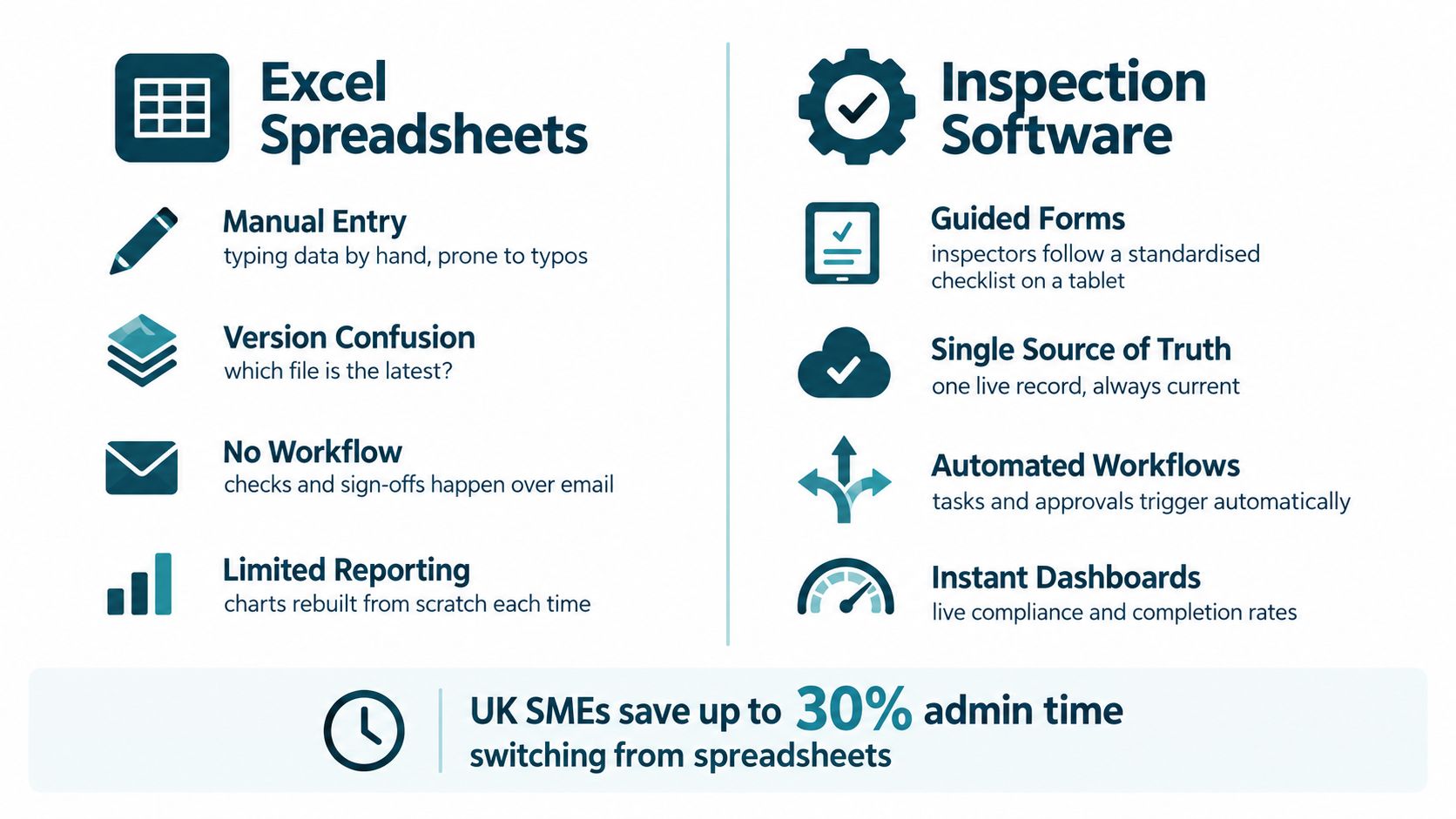
| Area | Excel inspection workbook | Inspection software |
|---|---|---|
| Shared records | Teams may work from a shared file or copies that need coordination. | A system can provide a central record with controlled user access. |
| Required fields | Validation and protected templates can help, but depend on workbook design and use. | Forms can be configured to require information before submission. |
| Photos and documents | Evidence may be embedded, linked or kept in a separate location. | Evidence can be attached to the relevant inspection item or action. |
| Corrective actions | Owners and due dates can be recorded, often with follow-up managed elsewhere. | Actions can be assigned and tracked within the inspection workflow. |
| History and approvals | File and version history may be available, depending on storage and process. | A suitable system can record users, timestamps, workflow states and approvals. |
| Reporting | Reports often require filtering, formatting and consolidation. | Reports can draw from the same inspection and action records. |
| Offline use | Local files can be used offline, but later consolidation needs care. | Offline capability depends on the product and its synchronisation design. |
| Change control | Template changes require clear ownership and disciplined distribution. | Roles and controlled releases can help govern changes to forms and workflows. |
Excel can imitate parts of an inspection system through protected cells, dropdown lists, shared storage and review checklists. Those measures may be enough for a stable process. They become less dependable when the workflow relies on every person following the same manual route every time.
Inspection software can move more control into the workflow itself. For example, a form may require a defect owner before submission, connect a photograph to a failed check or retain a record of an approval step. Whether that is valuable depends on the importance of the process and the consequences of incomplete records.
Audit Trails, Inspection Records and Assurance
For operational inspections, an audit trail concerns the history of the inspection record itself. It should help an authorised reviewer understand what was submitted, what evidence supported the finding, what changed afterwards and how any resulting action reached closure.
When comparing Excel with inspection software, establish whether the process needs to record:
- the person who created or submitted an inspection record
- submission times and later changes to responses or findings
- required responses, failed checks and recorded exceptions
- photographs and documents linked to the relevant finding or action
- action ownership, due dates and status changes
- approval, review or verification steps
- closure evidence, closure decisions and reopened actions
A version history can be useful, but it is not automatically sufficient for every record-keeping need. Consider whether users can identify the relevant change, see who made it, retain associated evidence and understand why an action was closed.
Standard Inspection Software or a Managed Custom App?
A standard inspection product is often a good option where the organisation's process follows a familiar pattern. It may suit teams with stable checklists, straightforward sign-off and requirements that fit the product's existing forms, reports and workflows.
Before selecting a standard product, test the details that matter in day-to-day use:
- how photos, documents and failed items are connected
- how defects are assigned and verified
- whether the approval route reflects the real process
- how offline entries and synchronisation are handled
- how records can be searched, exported and retained
- whether the team would still need a separate spreadsheet for actions or reporting
A managed custom web application may be more suitable where the current workbook reflects important organisation-specific working practices. This can include unusual asset structures, specialist calculations, different paths for different inspection types, customer-specific reports or approval rules that a standard product cannot represent cleanly.
The aim should not be to reproduce every worksheet cell in a browser. A useful replacement separates the operational workflow from the underlying calculation logic. Inspectors use focused forms, action owners see their assigned work, managers review exceptions and administrators can find historic records without rebuilding reports from copied files.
Spreadsheet Upgrade provides fully managed custom web applications for business-critical operational Excel workflows. For inspection processes, that can include structured records, evidence capture, corrective actions, approvals and close-out reporting where a tailored workflow is the right fit.
A Practical Evaluation Checklist
Use these questions when comparing an improved workbook, a standard inspection product and a managed custom application:
- Who uses the process? Map inspectors, reviewers, action owners, managers and anyone receiving reports.
- What must be captured? Define required questions, findings, photographs, documents and reference information.
- What happens after a failed item? Identify assignment, due dates, escalation, verification and closure steps.
- Which calculations matter? List scores, ratings, rules and outputs that need to be retained and tested.
- What needs to be traceable? Decide what evidence is needed for submissions, changes, approvals and completed actions.
- How will records be found later? Check search, reporting, export and retention requirements.
- What happens without connectivity? Test how drafts, uploads, duplicates and synchronisation conflicts are handled.
- Which process details cannot be compromised? Separate genuine operational requirements from preferences that could be changed.
This approach keeps the decision focused on process fit rather than feature count.
Moving Beyond Excel Without Losing Control
If a replacement is appropriate, start by mapping the current workflow before choosing a product or designing an application. Identify the authoritative source for assets, locations, customers and historical records. Review existing calculations, duplicated fields, old templates and records that may no longer be reliable.
A controlled transition commonly involves:
- documenting the current inspection, review and close-out process
- defining the fields, evidence and statuses required in the target record
- testing known examples against trusted outputs
- piloting a defined part of the workflow
- deciding when the new process becomes the authoritative record
- retaining the previous workbook safely where it is needed for reference
This is especially important where a workbook contains business rules that have developed over time. A replacement should make those rules clearer and easier to operate, not hide them behind a new interface.
For a broader view of this managed replacement path, see replacing Excel for inspections.
The Decision in Brief
Keep Excel when the inspection workflow is stable, controlled and proportionate to the record-keeping need. Improve the template with clear ownership, protected calculations, validation, one approved version and a defined review process.
Consider inspection software when multiple people need to capture findings, connect evidence, assign corrective actions, approve records and review live operational status. Evaluate a standard product where the process fits a recognised pattern. Consider a managed custom application where the workflow, calculations, terminology or outputs are specific to how your organisation operates.
Start with a Free Fit Check
If an inspection workbook has become part of the way your business runs, a Free Fit Check can help clarify whether the next step is a stronger template, a standard product or a managed custom application.